Most of your peoplewill never openthe desktop.
Shift workers, drivers and site staff live on a phone. The app is built for them: it starts before the first day, clocking in is one tap, and Karma takes the tedious part.
It starts before day one
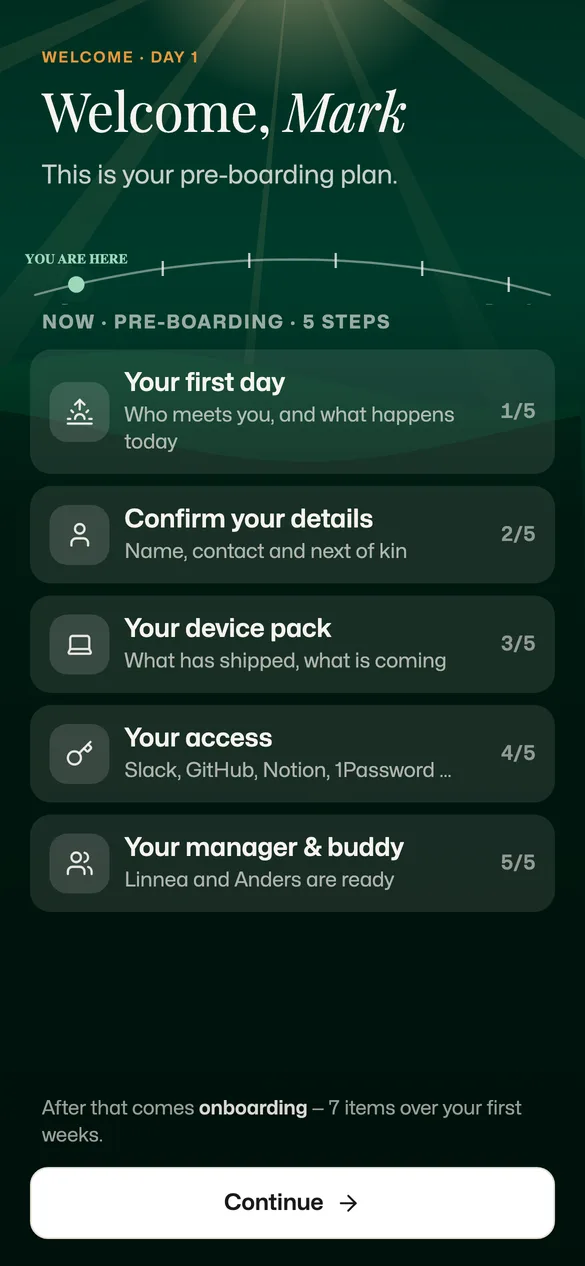
The first thing a new hire sees is the plan.
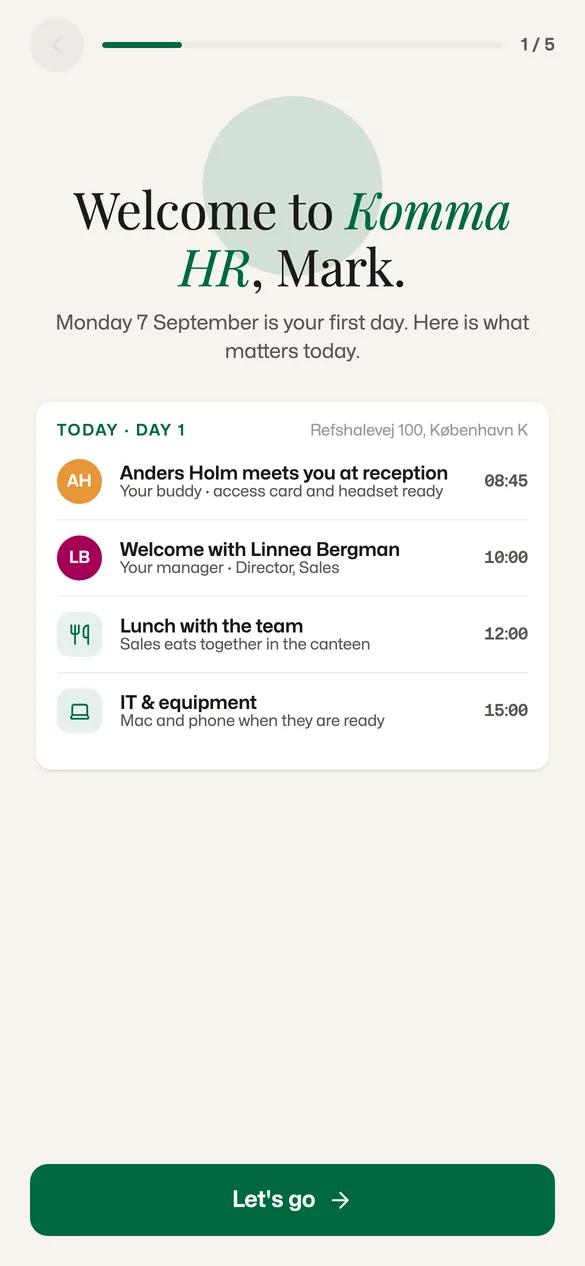
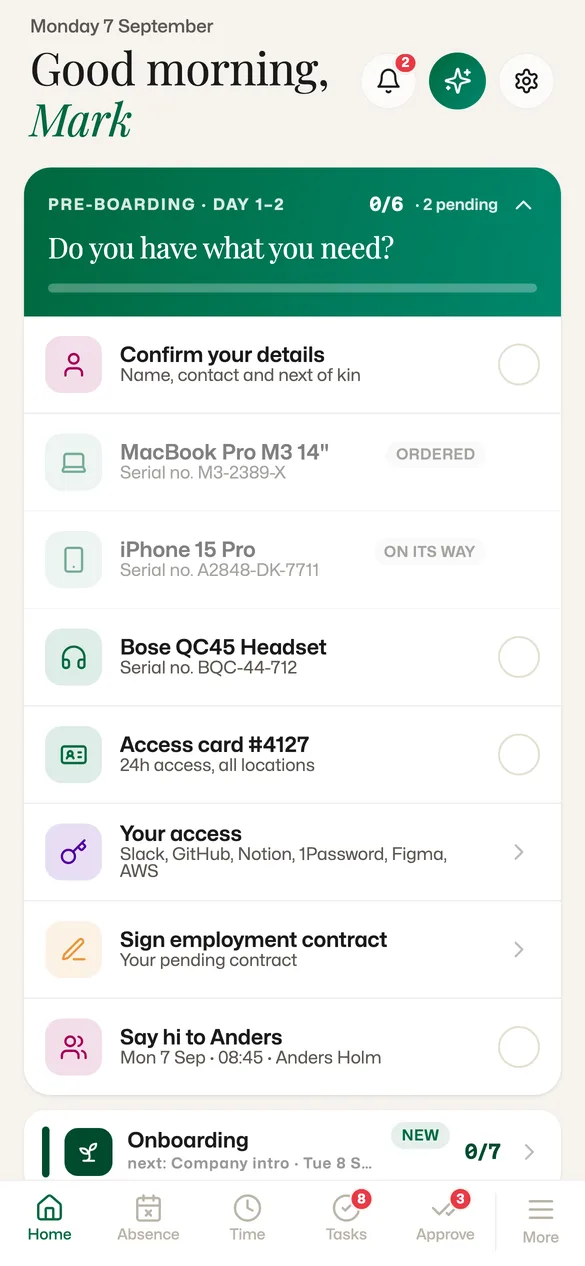
Before the first day, the app is a pre-boarding guide in five steps. On day one it shows the day, hour by hour. After that it becomes their home screen.
- Five pre-boarding steps: your first day, your details, your equipment, your access, your manager and buddy
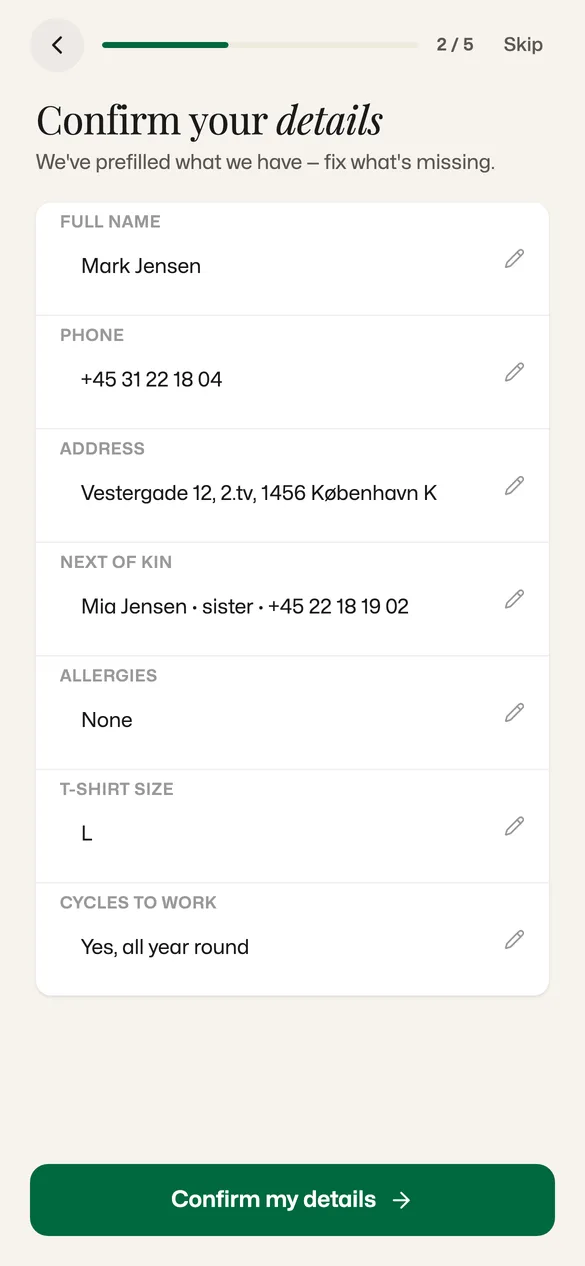
- Details prefilled from what HR already has — the new hire fixes what is missing
- Day one as a timeline: who picks you up, when lunch is, when the laptop is ready
- Then onboarding carries on: seven points over the first weeks
For managers
The approval queue, wherever you are.
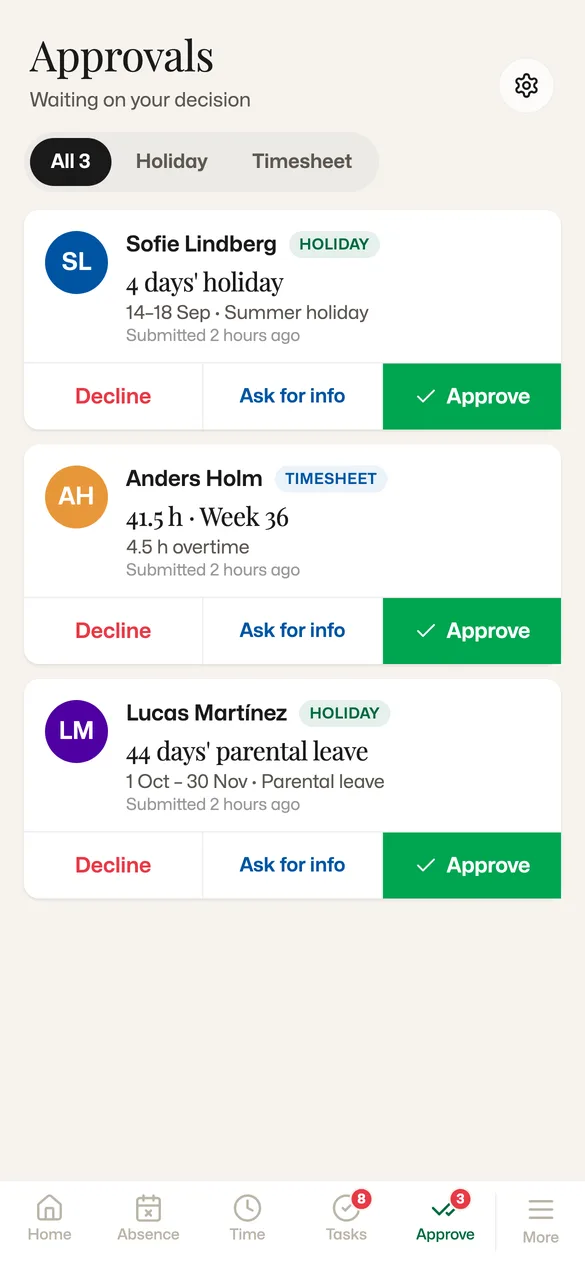
Managers get the same queue as on the desktop: holiday, timesheets and leave, each with the context needed to decide. Approve, reject or ask for more information. It writes to the same record and the same audit log.
 123
123- 1Holiday: 4 days, 14–18 September.
- 2A timesheet: 41.5 hours in week 36, 4.5 of them overtime.
- 3Parental leave in the same queue: 44 days, 1 October–30 November.
Holiday and absence
Request it, see the balance, get the answer as a push.
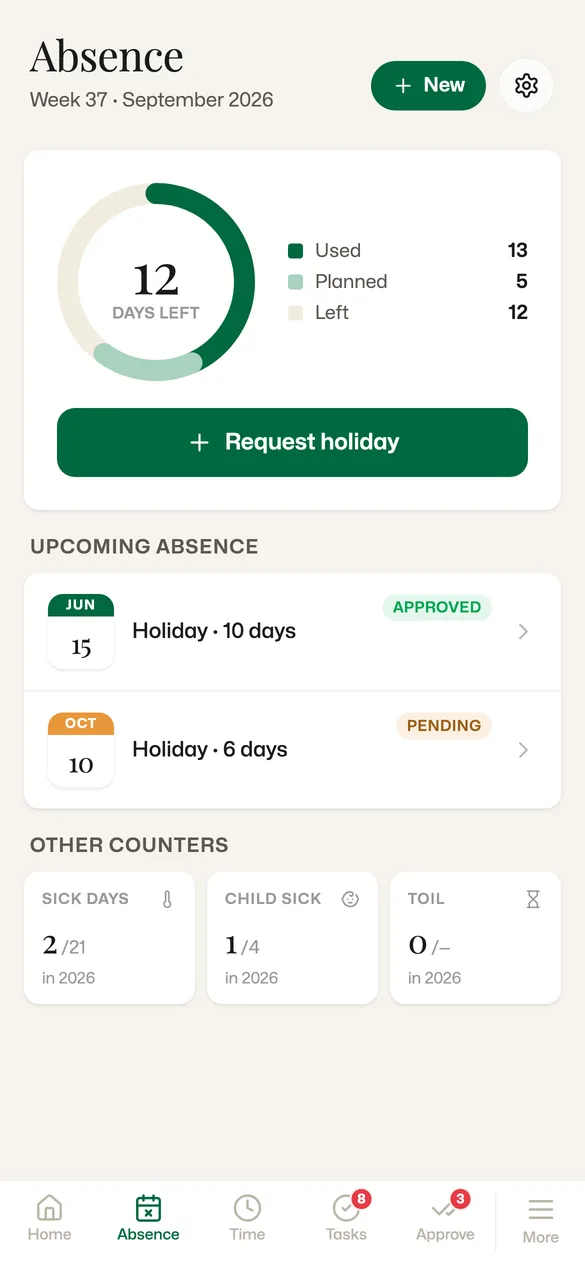
The holiday balance, what is coming up and whether it is approved, and the other counters for the year — on the phone that is already in the pocket.
 1234
1234- 112 days left: used, planned and left in one ring.
- 2Request holiday straight from the balance.
- 3Approved or pending, and the answer arrives as a push.
- 4Sick days and child’s sick days counted for the year.
Karma in your pocket
Ask in plain language. Karma is on every screen.
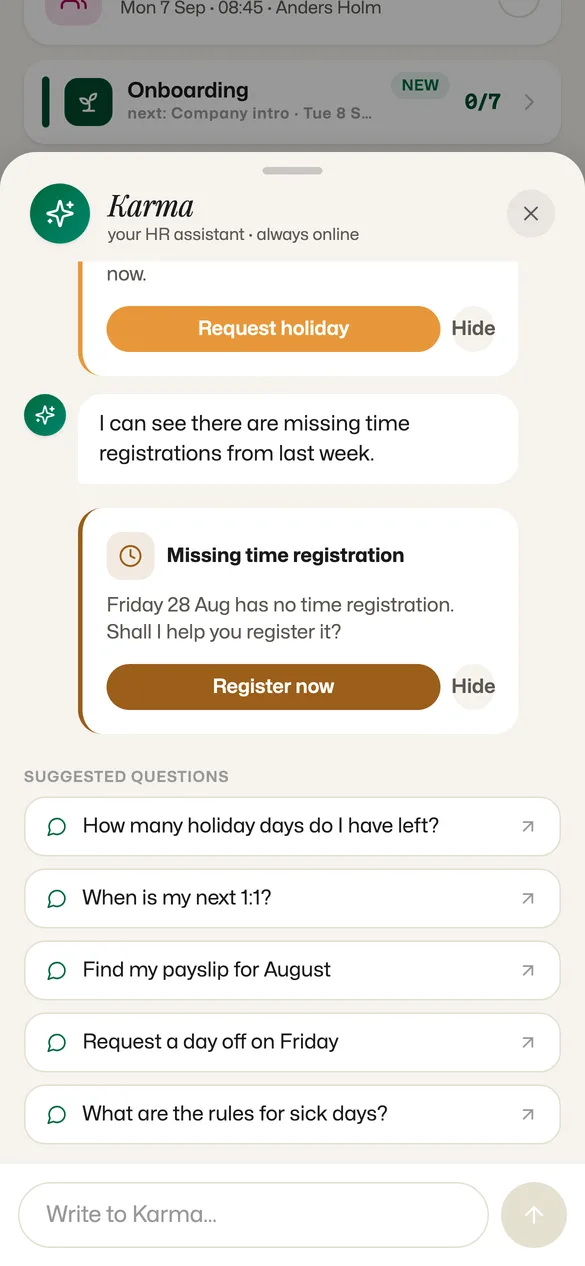
The same assistant as on the desktop. It notices what is missing, offers to fix it, and answers the questions people used to email HR.
12- KarmaA missing registration for Friday 28 August, with an offer to fix it.
- 1Suggested questions: holiday left, the next 1:1, a payslip.
- 2Ask in plain language. The same assistant as on the desktop.
What is in it
Komma on mobile, in full.
See it on your own data.
A 30-minute walkthrough with someone who knows the app — and your org structure, not a demo tenant.